Ad Operations: A Step-by-Step Guide for Local Businesses
Cara Schwartz · July 29, 2026

Running ads feels like a maze when you’re juggling calls, appointments, and reviews. The good news? A solid ad‑ops process turns that maze into a straight line. Below are the exact steps you need to get your campaigns live, tracked, and tuned for South Florida customers.
Step 1: Define Clear Campaign Goals
Start with the end in mind. Ask yourself what you want the ads to do, more phone calls, booked appointments, or five‑star reviews. Write the goal in plain language, like “Generate 30 qualified calls per week from Boca Raton homeowners.” Having a single, measurable target keeps every later decision focused.
Next, break the goal into sub‑goals. One might be “Increase click‑through rate (CTR) on carousel ads.” Another could be “Cut cost‑per‑lead (CPL) on Google Search by 20%.” When you can see the pieces, you can assign owners and set deadlines.
It’s easy to chase vanity metrics like total impressions. Those numbers look impressive but don’t move the needle on calls or bookings. Instead, tie every metric back to the primary goal. If you’re a plumbing company in Fort Lauderdale, a qualified lead is a phone call that mentions a leak or pipe issue. Anything else is just noise.
For local businesses, the right goal often aligns with the sales funnel stage. Top‑of‑funnel goals drive awareness, middle‑of‑funnel goals push leads into a form, and bottom‑of‑funnel goals close the sale. Map your ad spend to those stages, and you’ll see where to invest more.
We’ve seen fragmented goal‑setting cause wasted spend. In fact, Lineup.com flags “manual trafficking” and “reconciliation errors” as common mistakes, which often stem from unclear objectives. When the goal is crystal‑clear, the tech stack and creative work flow smoothly.
Finally, lock the goal in a shared document that the whole team can edit. That way the ad‑ops manager, the creative designer, and the sales rep all see the same target. Our Services page offers templates that make this step painless.
Step 2: Build the Ad Ops Tech Stack
Now you need the tools that move the needle. A solid stack stitches together ad servers, a demand‑side platform (DSP), a verification vendor, and a reporting dashboard. The pieces must talk to each other without manual hand‑offs.
First, choose an ad server that supports the formats you need, search, display, video, or social. A widely used ad server works for most local businesses, but you might add a dedicated video server if you run YouTube ads.
Second, pick a DSP that lets you buy inventory programmatically. This lets you bid in real time, which is important for competitive markets like Miami real‑estate listings.
Third, add a verification vendor like a verification vendor to catch fraud and ensure brand safety. A verification layer prevents wasted spend on non‑human traffic.
Fourth, connect a customer‑relationship‑management (CRM) system so leads flow directly into your sales pipeline. When a call comes in, the CRM should create a record automatically.
All of these pieces can sit on a unified Order Management System (OMS). Our research shows that fragmented systems cause billing errors and slow reporting. Media Ops Machine provides an AI‑powered OMS that consolidates ad servers, DSPs, and CRMs into one interface, cutting manual steps by up to 80%.
Don’t forget the pixel layer. Each platform, Google, another major platform, TikTok, needs its own tracking pixel. Place the pixel on the thank‑you page, test it with a tag debugger, and verify that conversions fire correctly before you launch.
When the stack is in place, run a quick sanity check: launch a tiny test budget, confirm the pixel fires, and watch the dashboard update. If anything breaks, fix it now, later fixes cost more.
For a deeper dive on why a unified OMS matters, see Wikipedia's overview of ad technology. Our Grow Without Hiring a Marketing Team guide walks through setting up the stack on a shoestring budget.
Step 3: Create, Traffick, and Test Creative Assets
Creative is the front line of any ad campaign. For local businesses, the message must be clear, concise, and tied to a single call‑to‑action, like “Call now for a free HVAC inspection.” Keep copy short and use a local phone number so the ad feels personal.
Designers should follow each platform’s specs. A Facebook carousel needs square images, while a Google Search text ad caps at 90 characters per headline. Stick to the specs; otherwise the ad will be rejected, delaying launch.
Once the assets are ready, upload them to the ad server. This is called “trafficking.” Double‑check that the file names match the naming convention you set in the tech stack, something like “FL‑HVAC‑01‑image‑FB‑01.” Consistent naming helps you spot errors quickly during audits.
Testing comes next. Use a split‑test tool to run two versions of the same ad. Change one element, maybe the headline or the image, and let the platform allocate equal spend. After 48 hours, compare the click‑through rates and pick the winner.
Pixel testing is critical. Use a tag debugger to confirm the conversion fires when a user lands on the thank‑you page. If the pixel doesn’t fire, you’ll see zero leads even though the ad looks great.
Our own team at Media Ops Machine runs this process for every client. We’ve seen a local medspa in Delray double its appointment bookings after fixing a mismatched pixel that was never firing.
Need a quick checklist? Check our FAQ page for the most common creative pitfalls.
Step 4: Launch, Monitor, and Optimize in Real Time
With assets live, the real work begins. Monitoring isn’t a set‑and‑forget job; it’s a daily habit.
First, watch the key metrics you defined in Step 1. If you aimed for 30 calls per week, track call volume each day. If the number stalls, look at the CTR and CPL for clues.
Second, set up automated alerts. Most platforms let you trigger an email when CPA spikes 20% above baseline. That way you can pause a under‑performing ad before budget burns.
Third, adjust bids in real time. If a certain zip code in West Palm Beach is converting at half the cost, raise its bid. If another area is cheap but low‑quality, lower the bid.
Fourth, refresh creative every two weeks. Audiences get blind to the same image fast. A new headline or a seasonal image can revive performance.
Finally, keep an eye on compliance. State consumer protection agencies require truthful ad copy. Misleading claims can lead to penalties. Guidelines outline the rules you must follow.
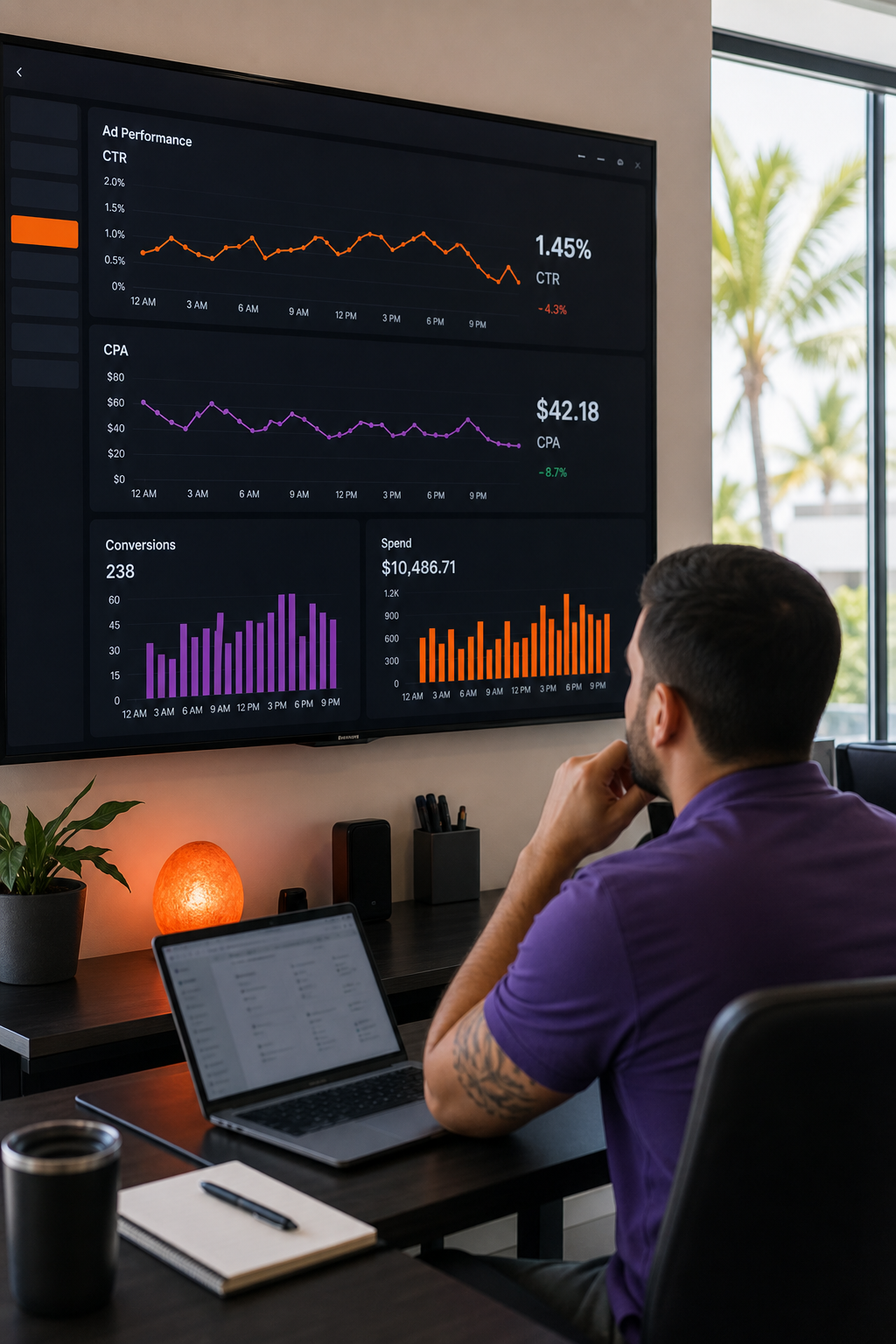
When you use a unified OMS like Media Ops Machine, all these tweaks happen in one dashboard. You can see a call‑by‑call breakdown, adjust bids, and push new creatives without juggling multiple tools.
Step 5: Report, Analyze, and Ensure Compliance
Reporting ties the whole process together. Build a weekly report that shows goal progress, spend, CPL, and ROI. Use a visual layout, charts for spend, tables for lead count, so the business owner can read it in five minutes.
Analyze the data for trends. Did a certain ad copy work better on Mondays? Did a specific audience segment generate more appointments? Answering these questions helps you refine the next cycle.
Compliance isn't optional. Keep records of every insertion order, creative approval, and pixel test. If an audit comes from a federal or state regulator, you'll have the paperwork ready.
Automation can help here, too. Media Ops Machine stores every campaign artifact in a searchable archive. That means you can pull a report for any date range in seconds, not hours.
Wrap up each month with a quick debrief. Celebrate wins, like the 25% CPL drop for a local HVAC client, and note any roadblocks, such as a pixel that failed on a new landing page. Use that debrief to set the goals for the next month.
FAQ
What exactly is ad operations?
Ad operations is the process of planning, launching, monitoring, and reporting on paid digital campaigns. It ties together creative, technology, and data so that every ad dollar works toward a business goal.
Do I need a big budget to start ad operations?
No. You can begin with a modest daily spend, often $20‑$50 for local services, and scale as you see results. The key is to track every dollar and adjust quickly.
Can I handle ad ops myself, or do I need professional support?
You can manage simple campaigns, but most local businesses benefit from a specialist who handles trafficking, pixel testing, and real‑time optimization. Media Ops Machine offers a done‑for‑you option that removes the guesswork.
How do I make sure my ads comply with regulations?
Follow applicable advertising regulations, avoid false claims, and keep records of all creative approvals. An audit trail protects you if a regulator asks for proof.
What tools should I use for tracking leads?
A CRM that integrates with your ad platform is essential. Pair it with an AI‑powered follow‑up system that answers calls within 60 seconds, like the one Media Ops Machine builds for South Florida businesses.
Conclusion
If you want reliable leads, booked appointments, and glowing reviews, start with a clear goal, build a unified tech stack, and keep a tight loop of testing and optimization. Ready to stop guessing and start growing? Book a free assessment with Media Ops Machine and let us set up the system for you.